
SimRush Dedicated IP Connectivity

Works with all connectivty: Starlink, 4G, 5G, FTTC, FTTP, SoGEA, Leased Line
Easy management of port-forwarding rules, access Control Lists (ACLs), and DHCP configurations.
Requires no modifications to the user’s existing LAN or firewall.
Easy IP Explained
Use your existing router and add a Static Public IP address over a single or dual WAN connection.
The static public IP address works across each WAN automatically – no intervention needed.
Works with any fixed line broadband, any 4G/5G router, Starlink and Leased Lines.
Easy IP Configuration Options
1: Single Wan Configuration
2: Dual Wan Configuration


Multiple Benefits
Easily take your connectivity to the next level!
Easy Set Up
Simply plug it in. Say goodbye to the hassle of configuring complex network settings. No need for your own ISP infrastructure.
Always Visible
Regardless of which connections you use, or if any fail, the Static IP address always remains visible.
Cost Effective for 4G / 5G
Say goodbye to expensive fixed IP SIM card monthly costs. Simple annual fee for the IP address.
Low Latency
Connectivity is provided from our London data centre. You get the fastest speeds.
Quality VoIP
Circumvent CGNAT over 4G/5G and ensure a consistent and high-quality communication experience.
Starlink Ready
Avoid Starlink’s less reliable dynamic public IP address. Use on any Starlink tariff.
Unlimited Data Transit
Unlimited data traffic can pass over the Static Public IP address. No additional fees from us no matter how much you use.
Remote Management
Easy remote management using the SimRush cloud-based management system.
Port Forwarding
With the SimRush Easy IP Static Public IP address, you can easily set up port forwarding services.
Upgrade Your Connectivity
Get your Dedicated Public IP Address solution today!
SimRush Easy IP ax S
Choose from Single WAN or Dual WAN configurations to suit your needs. The static public IP address works across each WAN automatically – no intervention needed.
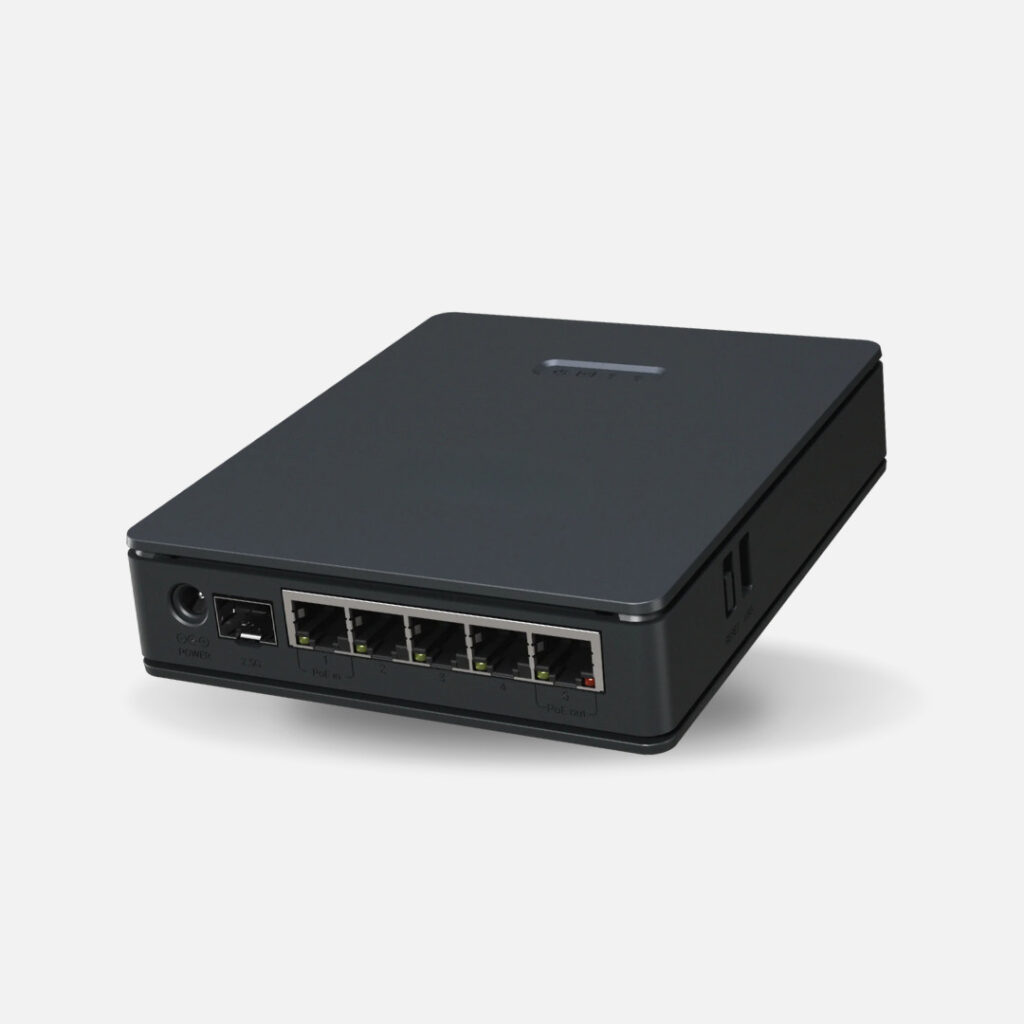
SimRush Easy IP
Frequently Asked Questions
Does it really work with any router?
Yes. It works with any router. The hardware device with an assigned dedicated IP address for you to simply plug into any router.
What can the Dedicated IP address be used for?
A SimRush Easy IP address enables you to remotely access equipment on your network from outside of your premises.
- CCTV equipment
- An email server
- Data drives
- A virtual private network (VPN service)
- Remote Desktop Application
- SD-WAN services
- Telemetry
It can also be used to allow for port forwarding, connection monitoring, supporting a VoIP digital phone service or anything else you need it for!
Why is this better than a Starlink Public IP address
The Starlink Public IP address is dynamic not static.
When Starlink performs a software update then you lose your Starlink IP address and are issued with a new one. This causes issues as anything you have set up with the IP address will not work until you reprogramme it again.
The SimRush Easy IP has a Static Public IP address which is locked to the device. You get complete peace of mind it will never change.
You can move the SimRush device wherever you want and the address will not change.
Can I use SimRush to provide a Static Public IP address for my existing Starlink connection?
Yes you can do this for any auxiliary broadband connection that you connect to your SimRush device.
Please note, for Starlink installations specifically you will also need to ensure you have a Starlink ethernet adapter, as this doesn’t come as standard on Starlink deployments.
Will this allow me to use VoIP on any connection?
Yes, it will enable VoIP on any internet connection. If you are using a 4G/ 5G carrier it will avoid Carrier-grade Network Address Translation (CGNAT) issues and ensure a consistent and high-quality communication experience.
Can I have multiple dedicated IP addresses?
The standard assignment is one dedicated IP address per Easy IP device.
You can purchase more if it is necessary for your network requirements. This is a bespoke deployment so please contact us
Does a Dedicated IP address affect internet speed?
No, the dedicated IP address does not inherently affect your internet speed. The speed is determined by your plan, bandwidth, and network conditions.
What is the difference between a Dedicated IP and a Reserved IP address?
- Dedicated IP address is manually set and remains constant across devices.
- Reserved IP is a feature where a Dynamic IP is “reserved” for a specific device, so it behaves like a Static IP. This is done through DHCP reservation in your router’s settings.
How Do I Know If My Business Needs a Dedicated IP address?
If your business needs a steady internet connection for things like hosting, remote access, online payments, or services needing a dedicated address for a specific device, you may need a static IP.