
Reliable Static IP Solutions for Your Business

Enhance security, stability, and remote access with our custom static IP address solutions. 

Our IP addressing services are designed to deliver unmatched reliability and security, ensuring UK businesses have the consistent connectivity they need to operate smoothly.

Whether you’re hosting websites, managing remote teams, or securing financial transactions, our tailored static IP services enhance network performance and protect your critical data across a wide range of industries.

Reliable Monitoring
ENHANCED SECURITY

Experience heightened security for online transactions, financial data and sensitive information, fostering trust and confidence in your digital infrastructure.

certified experts
RELIABILITY & ACCESSIBILITY

Static IP addresses provide businesses with a consistent and reliable internet connection, enhancing network stability for critical operations.

Cloud Services Icon
SERVER & HOSTING PERFORMANCE

Increased uptime and faster load times for websites and applications Improves the overall experience for users. Manage your own DNS server.

software services icon
OPTIMISED REMOTE WORK

Static IP addresses simplify remote work setups and enhance VPN setups. Boost productivity by providing secure and stable VPN connectivity for remote teams.

SimRush:
Cutting-edge Static IP Connectivity

A carrier-agnostic, globally accessible Fixed IP solution.
Reliable and flexible connectivity for all business needs
Removes the need for expensive Fixed IP SIM cards
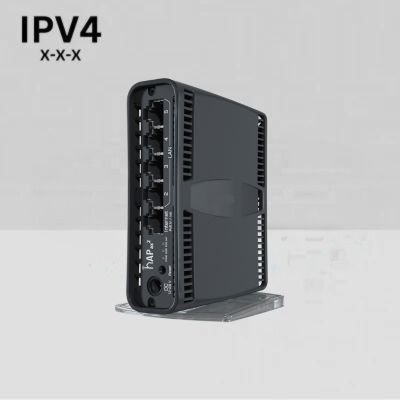
Easy IP Router for a static IP

Use your existing router and add a Static Public IP address over any WAN connection with SimRush Easy IP. Works with fixed broadband, all 4G/5G routers and Starlink.

SimRush Pro 5G for a static IP

Buy a SimRush router as your primary 4G/5G broadband router & firewall and get a Static Public IP address on any 4G/5G mobile SIM. 

Static IP Solutions
Frequently Asked Questions
What Are the Key Benefits of Using a Static IP Over a Dynamic IP?

Static IPs give you a permanent and unique IP address. This helps with steady access for hosting websites, servers, and remote access applications. On the other hand, dynamic IPs are given by your ISP through Internet Protocol. These can change from time to time, so they are not the best choice for these uses.

Yes, static IPs can make VPN performance better. They offer a steady connection point for remote workers. This results in quicker connection speeds and more reliable access to company networks.

If your business needs a steady internet connection for things like hosting, remote access, online payments, or services needing a dedicated address for a specific device, you may need a static IP.

To get a static IP in the UK, contact us. We will help you understand the options you have. We can also explain the costs and the steps needed to set up your network settings for using a static IP address

It depends on the type of CCTV system you have and how you plan on accessing it. If you need the internet at a construction site, then it would be essential if you wanted to access the network remotely to view CCTV footage.

We can provide you with an unlimited 4G fixed IP solution, without the need for a fixed IP SIM card. It can be used over 4G/5G. Click the question title to read our detailed article with everything you need to know

No, a static IP does not inherently affect your internet speed. The speed is determined by your plan, bandwidth, and network conditions.

  • Static IP is manually set and remains constant across devices.
  • Reserved IP is a feature where a Dynamic IP is “reserved” for a specific device, so it behaves like a Static IP. This is done through DHCP reservation in your router’s settings.

A static IP is not required for gaming, but it can be helpful if you are hosting game servers or using remote access tools. It can also ensure a consistent connection for online multiplayer games, reducing potential interruptions from changing IPs.

The process varies depending on the operating system and device. Generally, you need to access the network settings, choose the option to set a manual IP address, and then enter the desired IP address, subnet mask, default gateway, and DNS servers. We will offer detailed instructions and support for your needs upon purchase.